AKDB Notification Framework
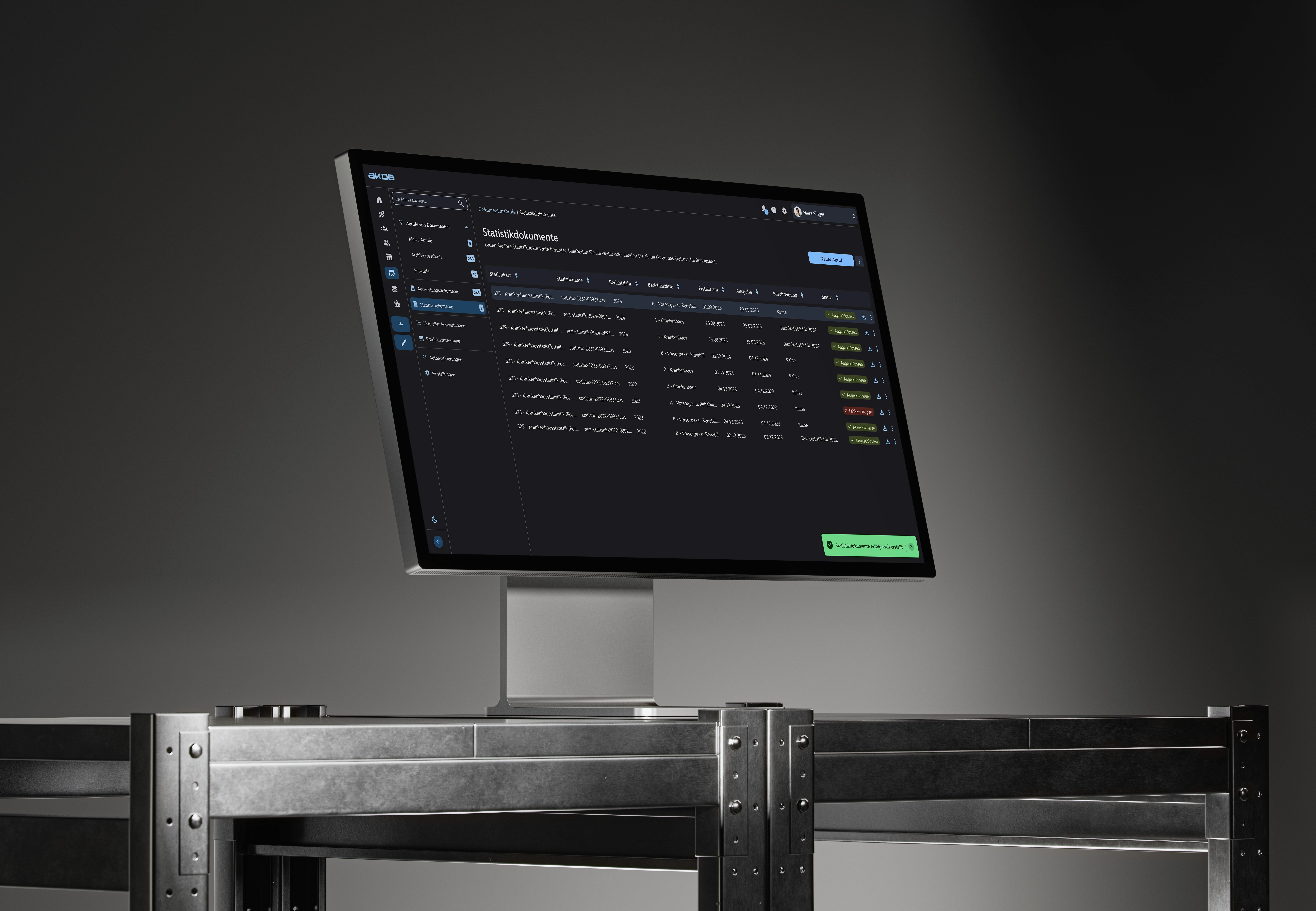
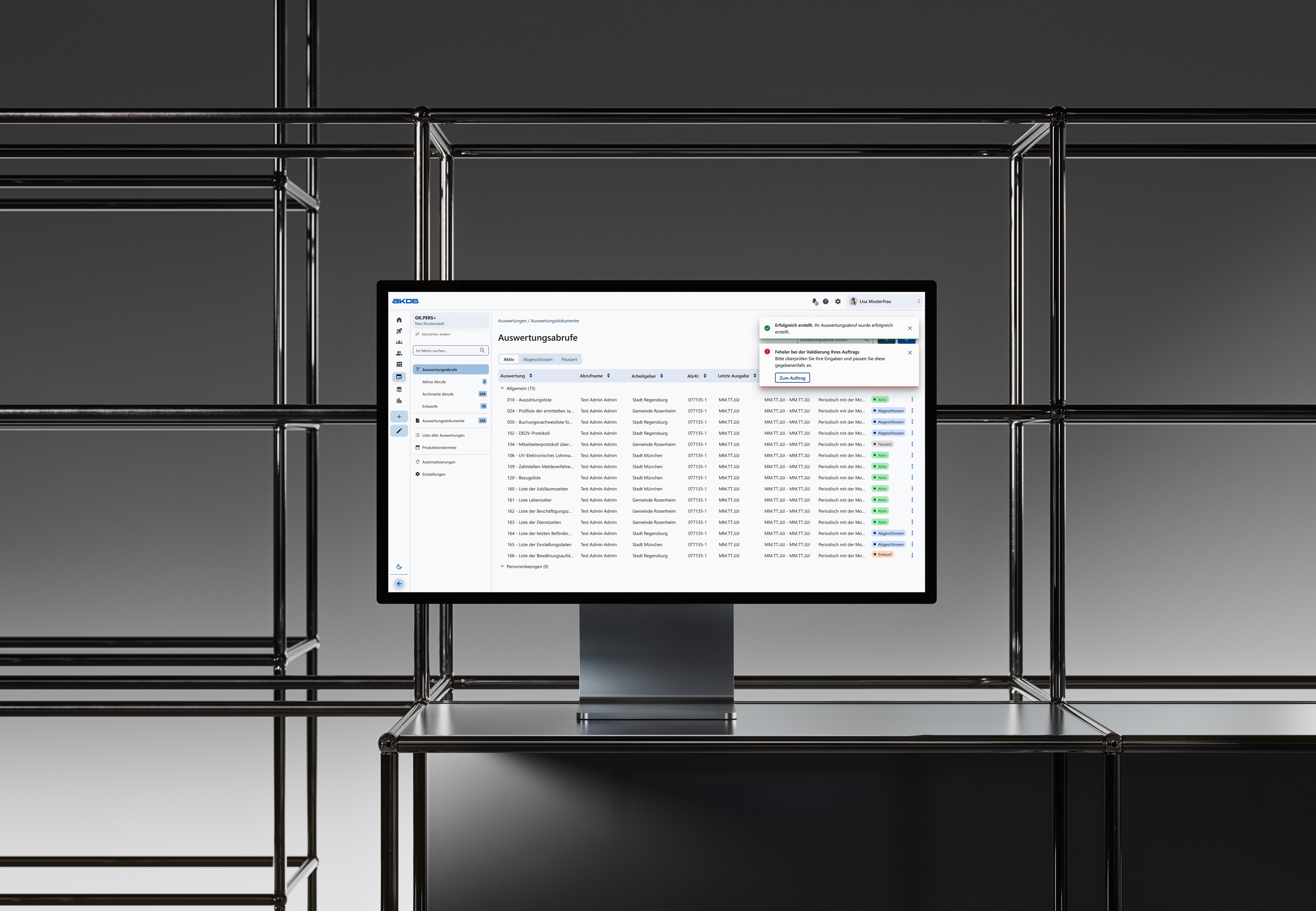
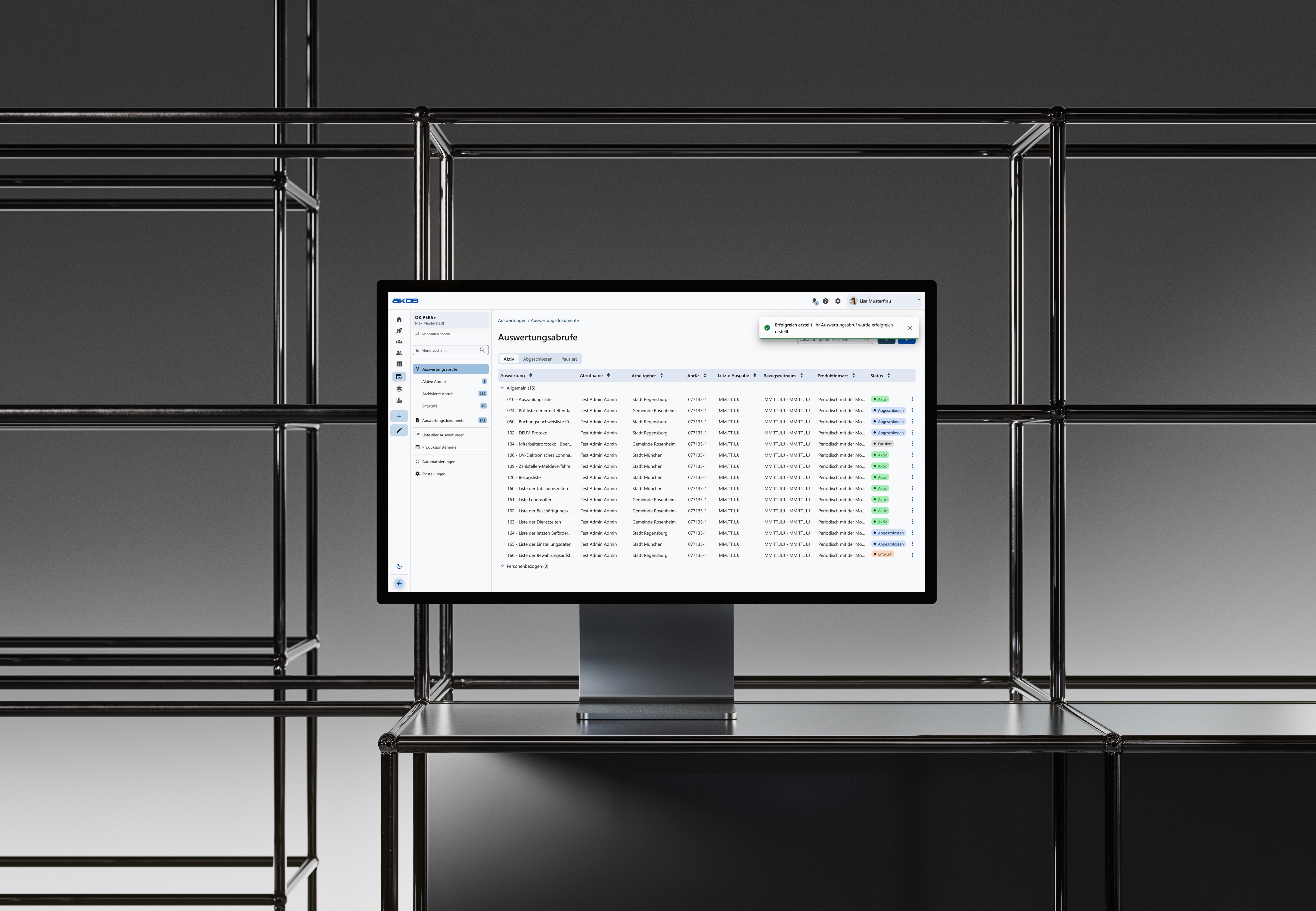
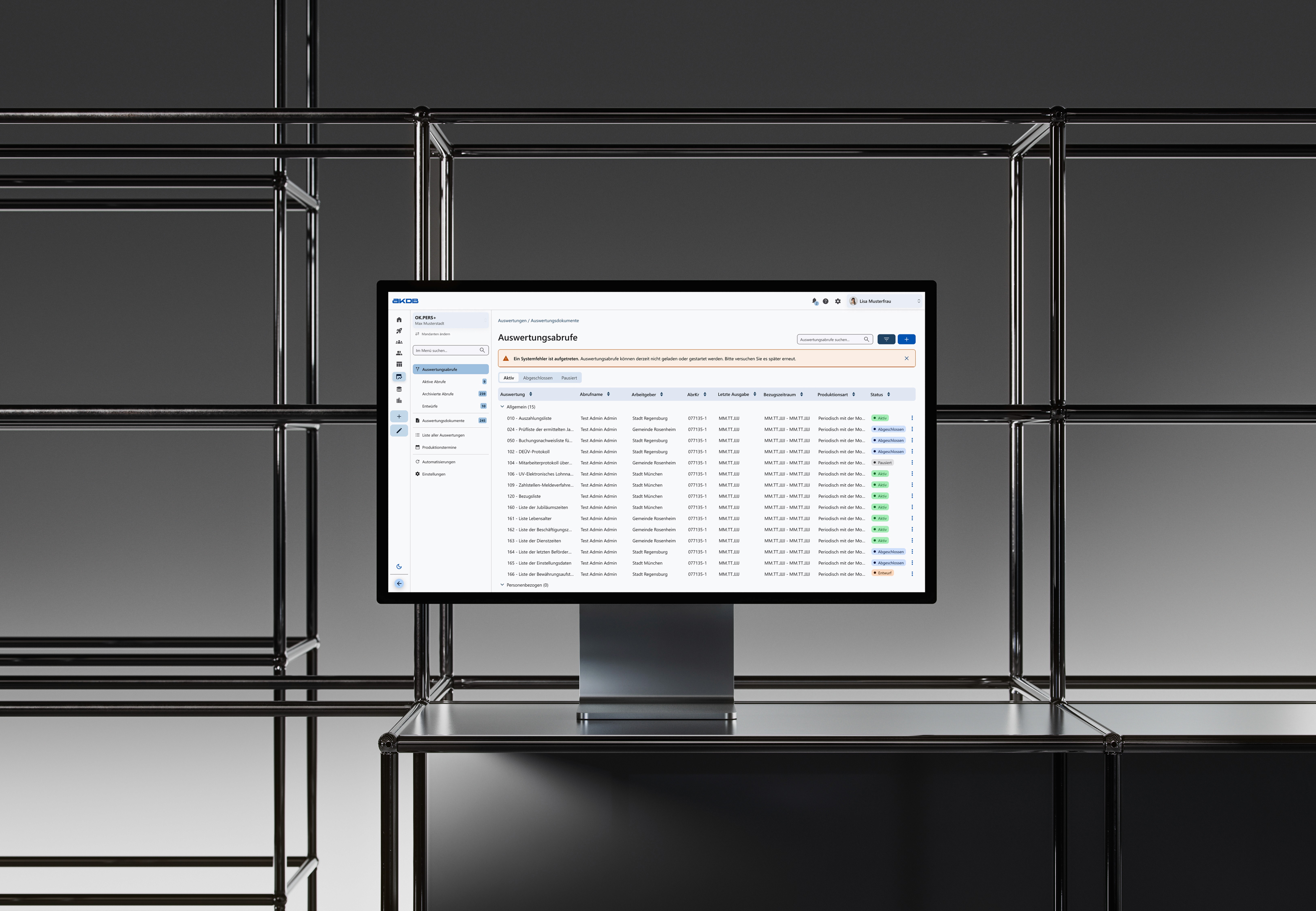
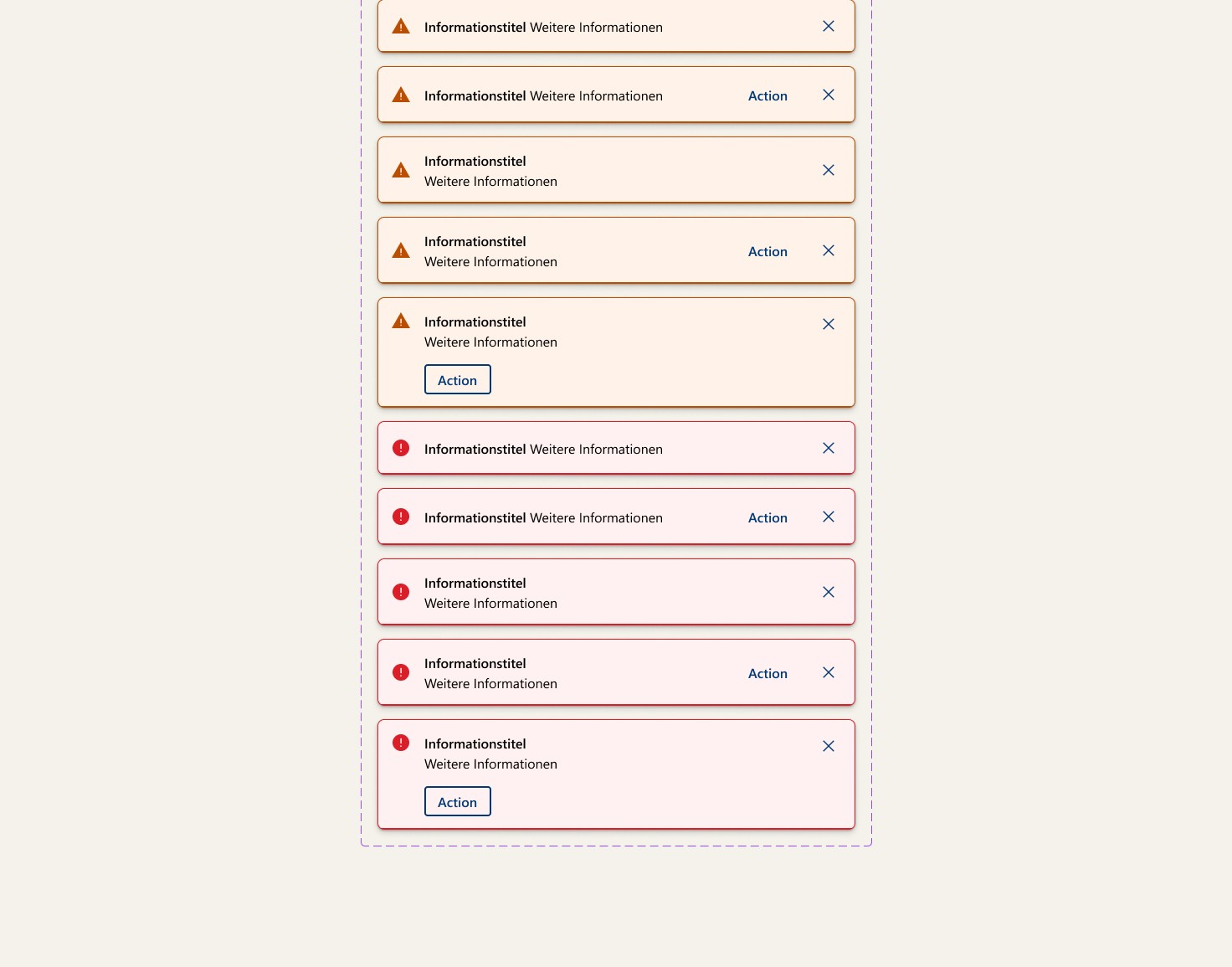
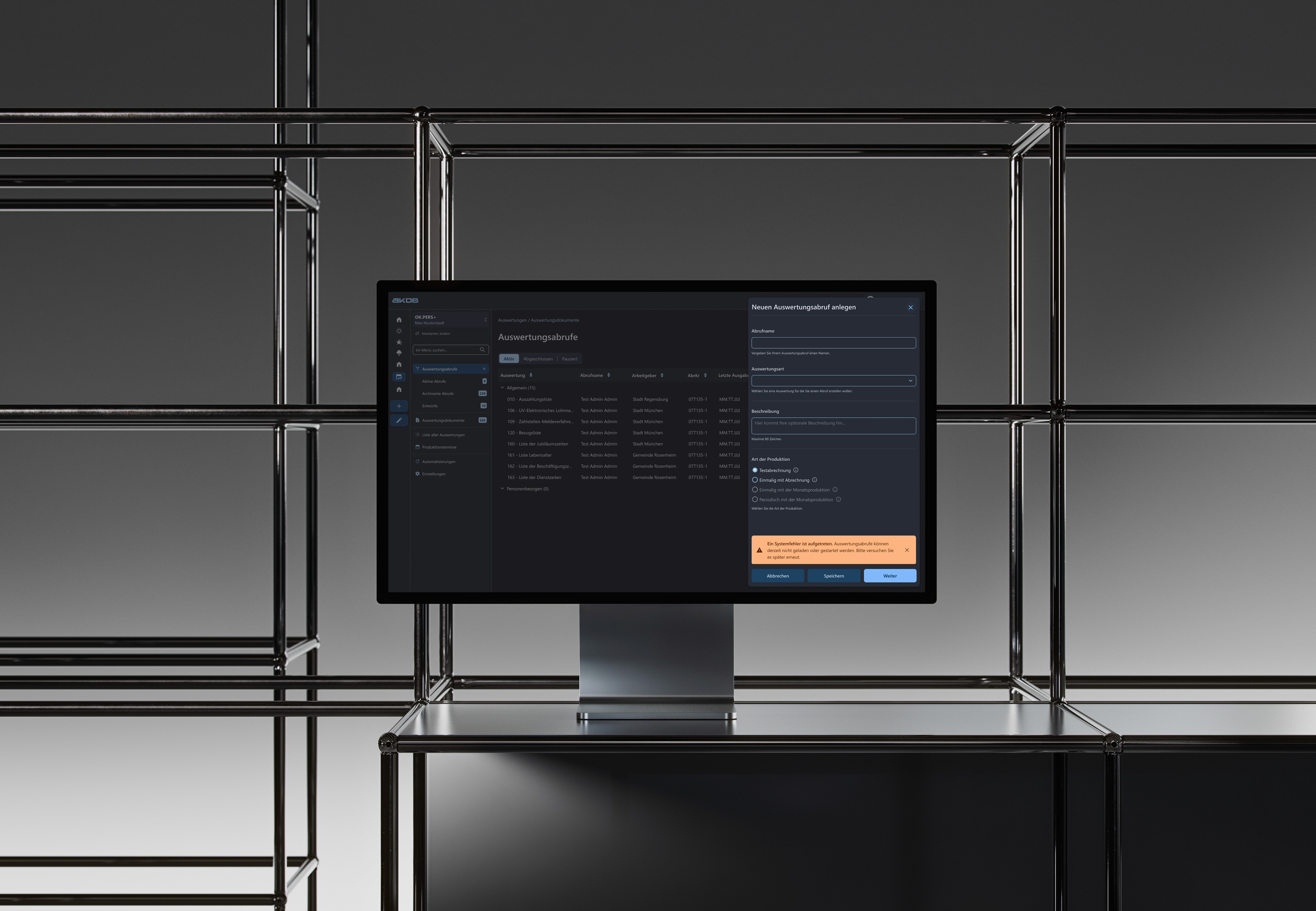
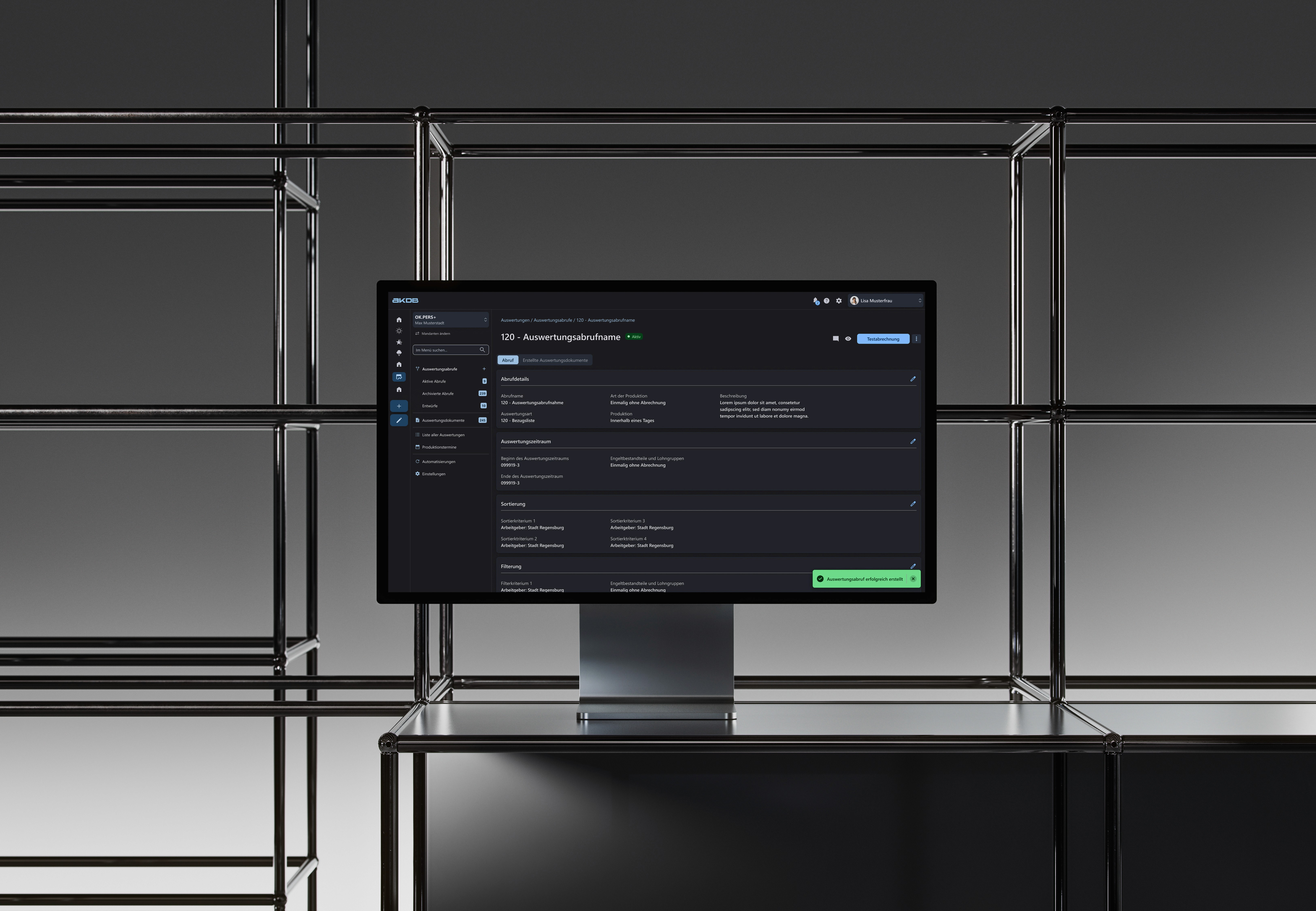
As part of my work on the ADKB design system, I developed a flexible and scalable notification framework directly in Figma. The goal was to create a consistent, reusable component set for system notifications—including banners, toasts, and inline alerts—that could adapt to various use cases and states (e.g., success, error, info, warning).
The Challenge
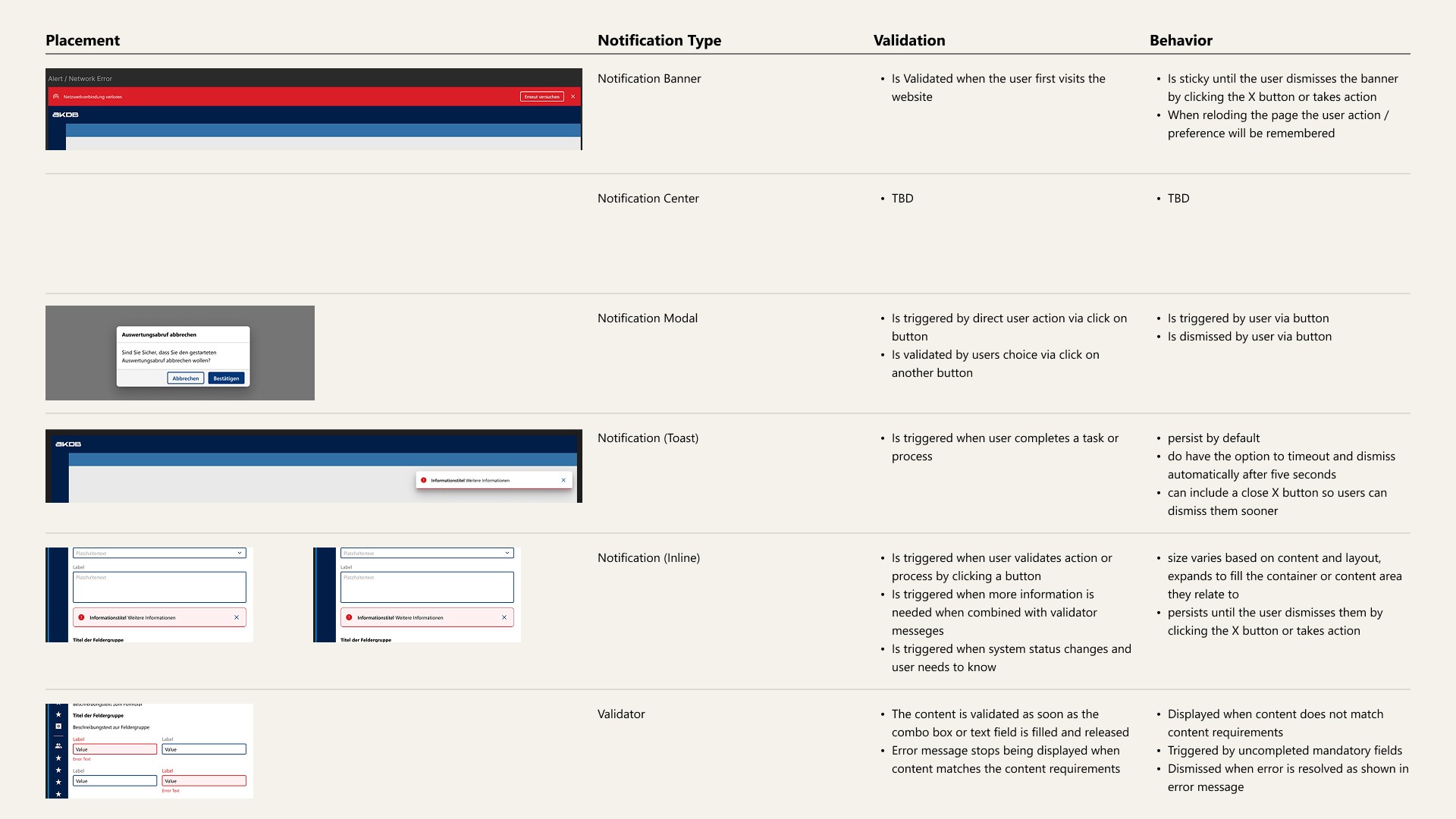
Designing a notification framework came with several key challenges—primarily identifying the right set of states, placements, and positioning rules to support different use cases. Notifications need to be noticeable without being disruptive, and their behavior must adapt across screen sizes and contexts.
The Solution
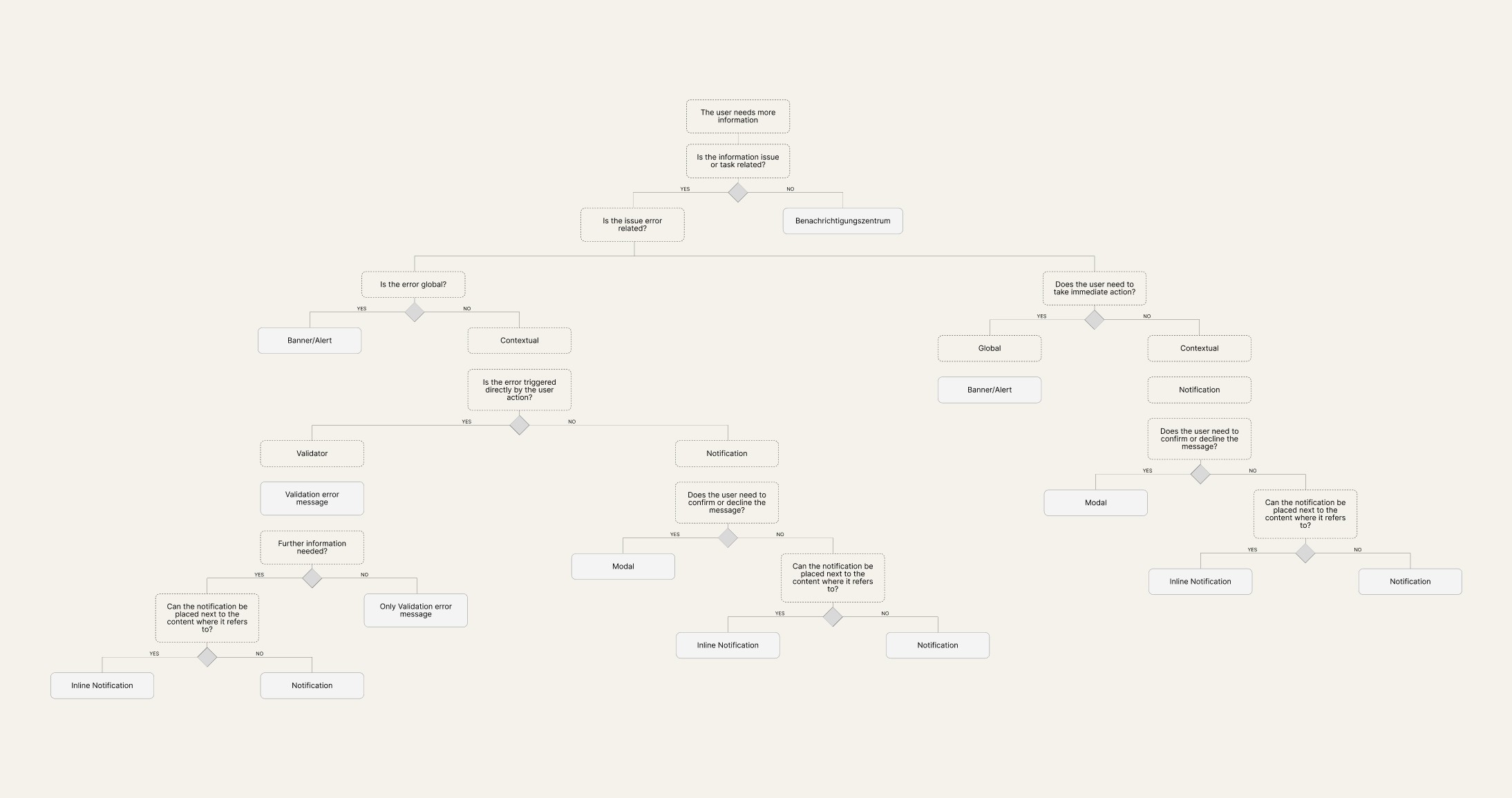
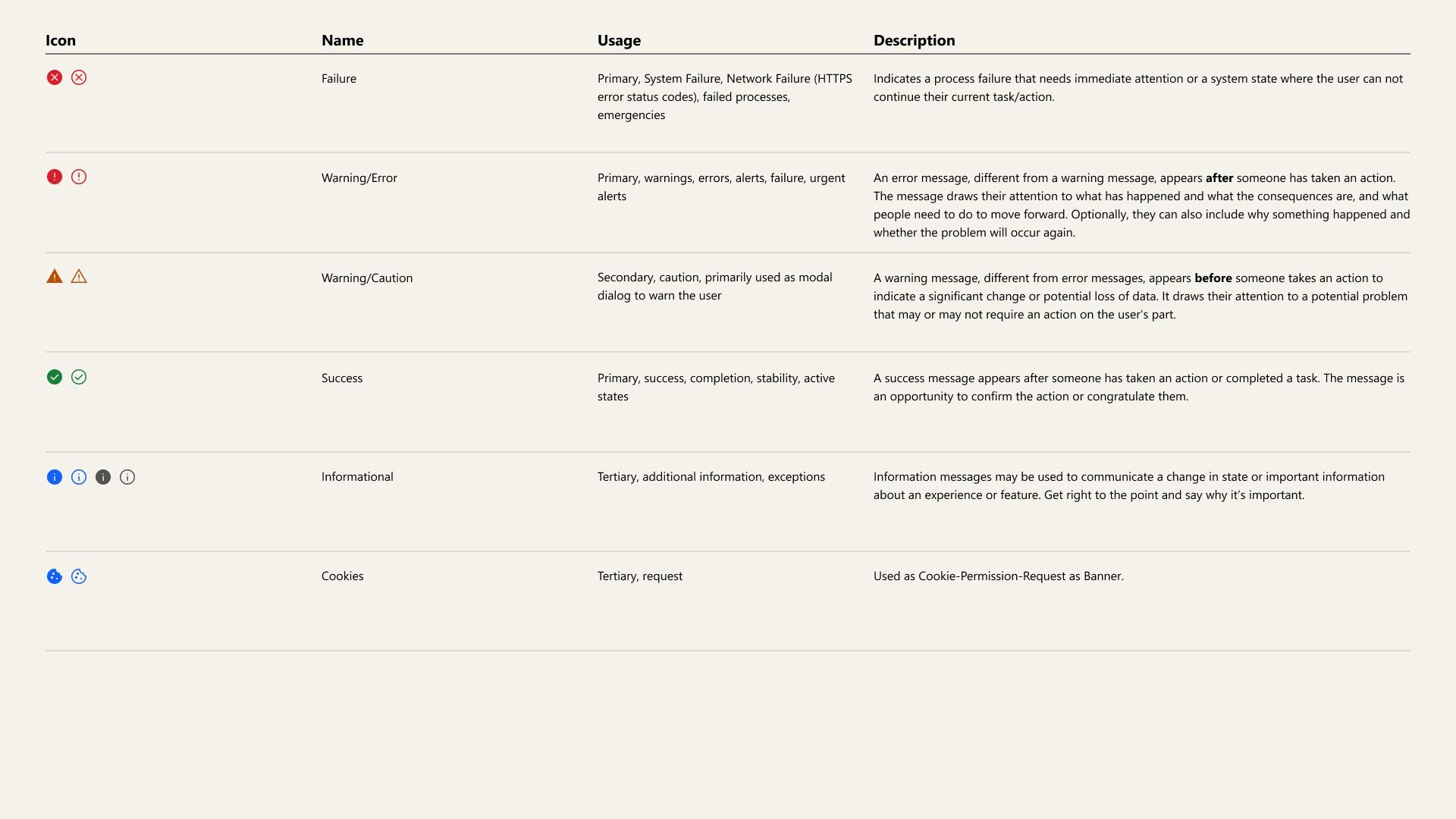
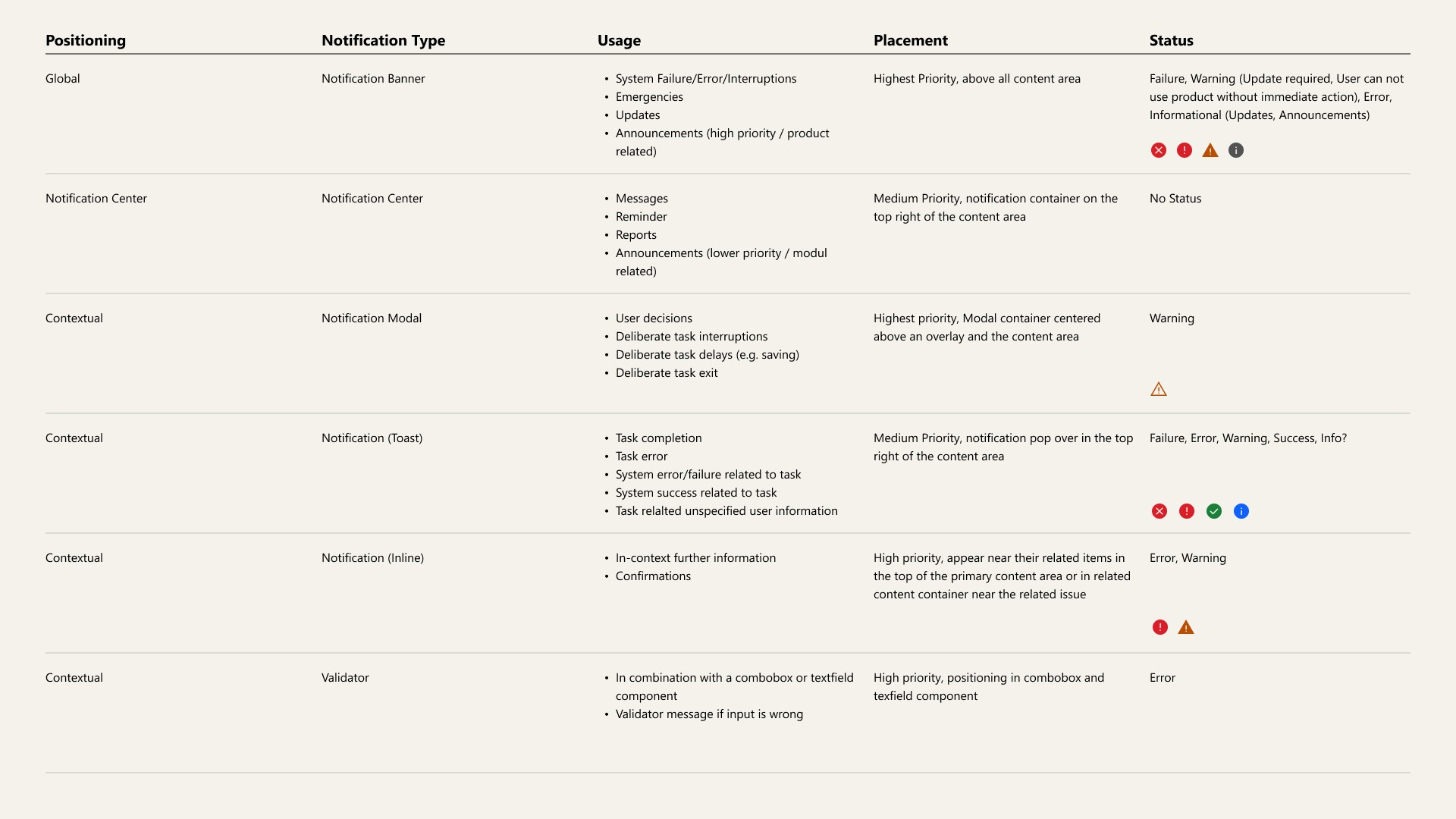
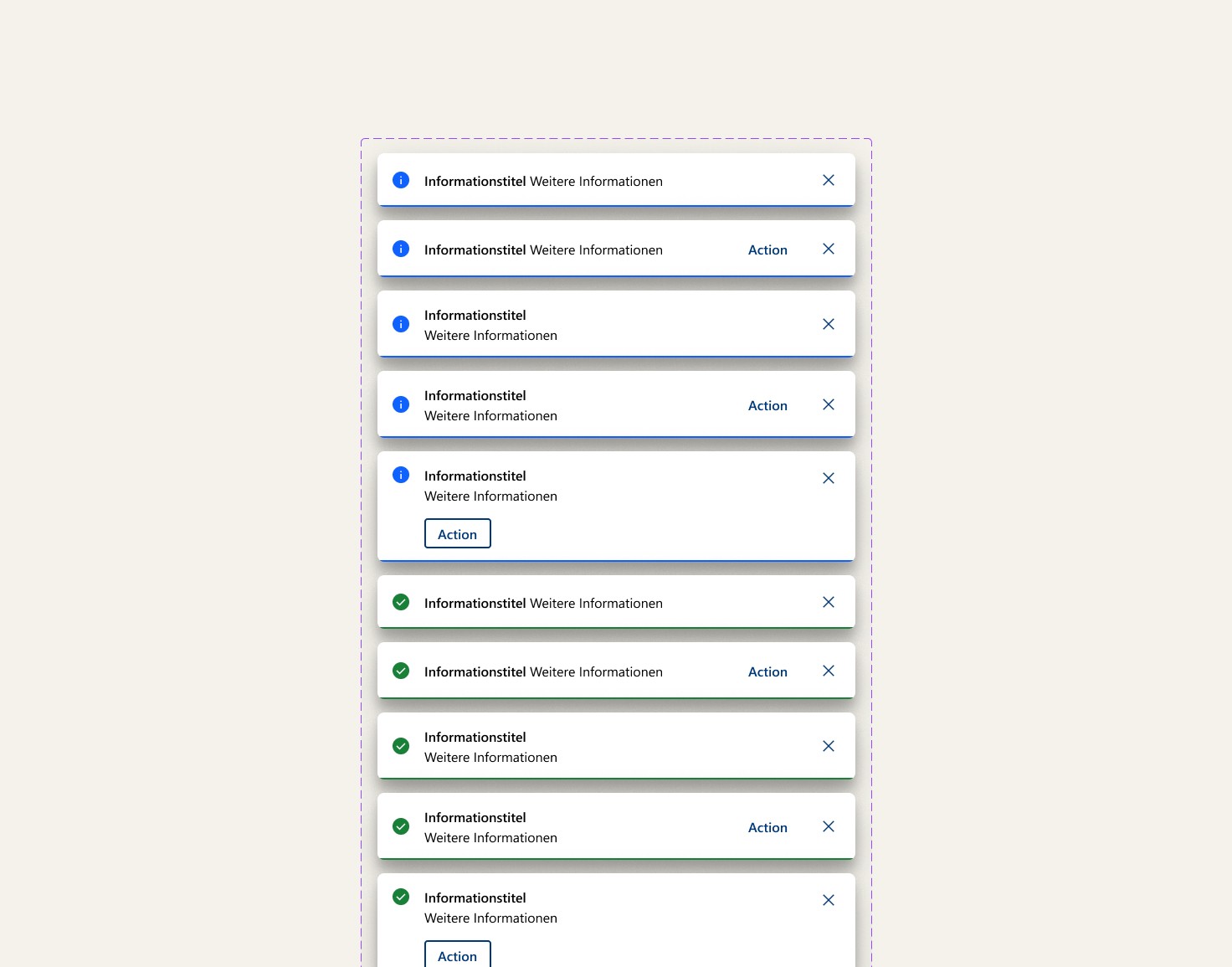
To solve the challenge of selecting the right notification type and placement, I developed a decision tree that defines clear rules based on urgency, context, and user interaction. This guided the use of banners, toasts, or inline alerts and their positioning. I then translated this logic into a flexible Figma component using variants and properties, enabling easy customization of states, icons, and layout.
Outcome
The notification framework brought clarity and consistency to how system messages are used across the ADKB design system. By combining a decision tree with a flexible Figma component, I enabled designers to easily choose the right notification type and apply it with minimal guesswork.
I worked closely with developers throughout the process to ensure that the component structure was not only visually consistent but also technically manageable and easy to implement. This collaboration helped streamline the handoff and align design decisions with development needs.
The framework was designed to be expandable, with snackbars planned as the next addition—continuing to build a unified, scalable approach to system messaging.
Project challenges
Finding simplicity over complexity
One of the main challenges I faced was balancing flexibility with simplicity—designing a notification system that could handle various states and placements without becoming overly complex. Collaborating closely with developers also pushed me to consider technical constraints and maintain a practical approach while preserving design integrity.
What I gained
Building functional and flexibel Figma components
Beyond the practical results, this project deepened my understanding of scalable system design and strengthened my skills in building modular, user-friendly Figma components. It reinforced the importance of cross-functional collaboration, as well as clarity, logic, and usability in design systems—especially for components that directly impact user communication and interaction.